heyski.io / tutorials / send your agent
Tutorial 03 · Send your agent

Can't make it? Send your agent.

Your agent joins the call as a real participant — talking and helping, or silently taking notes — while the transcript writes itself back home.

0:58 · with sound · powered by AgentCall
The written version

Paste a link, stay heads-down.

STEP 01

Open the meeting menu

Hover the SKI widget, open the meeting menu, and choose "Send agent to a meeting."
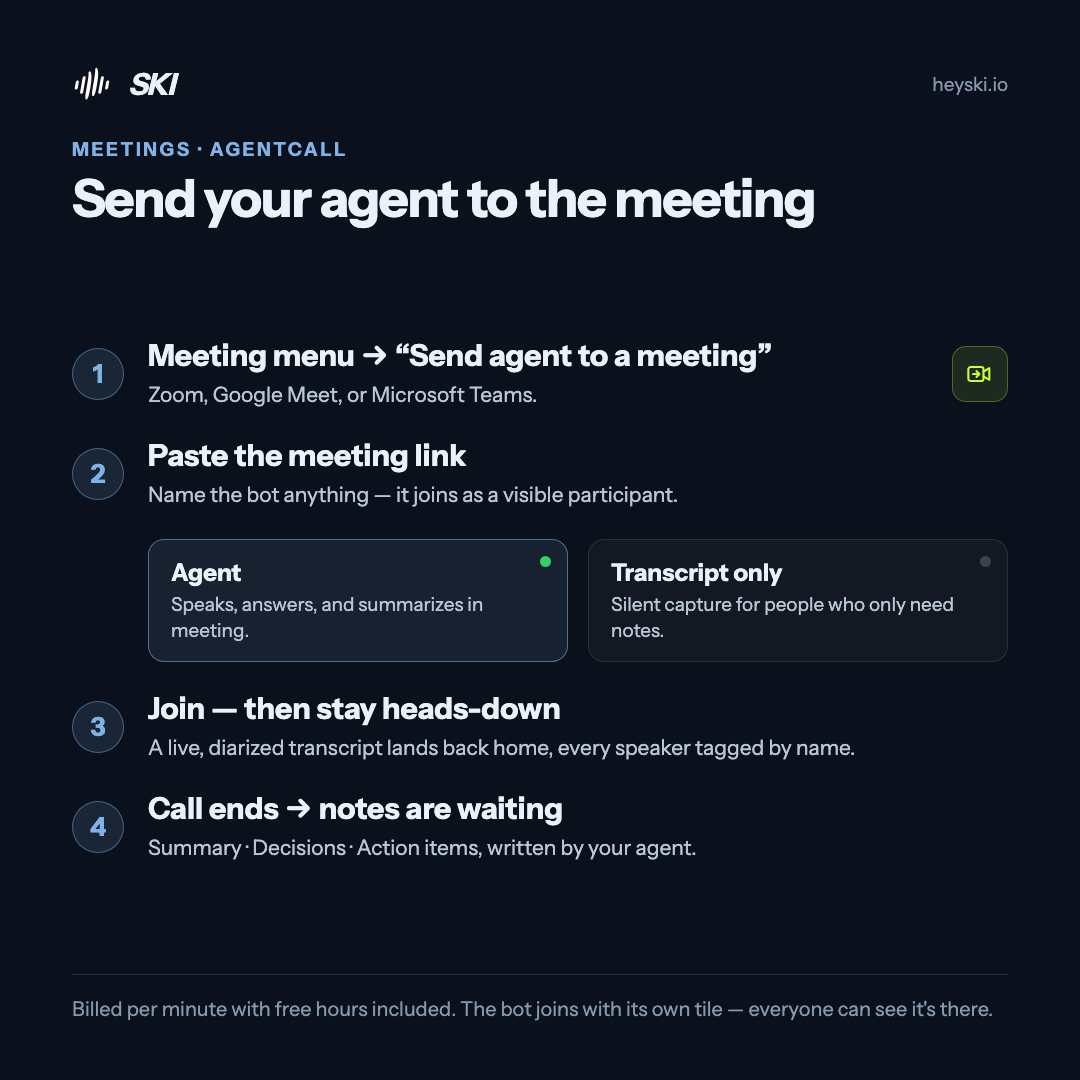
Infographic: send your agent to the meeting — open the meeting menu, paste the link, pick agent or transcript-only mode, join and stay heads-down
The whole flow on one card
STEP 02

Paste the meeting link

Zoom, Google Meet, or Microsoft Teams — they all work. Name the bot anything you like; it joins as a visible participant with its own tile, so everyone can see it's there. You can also create a fresh meeting straight from the widget.

STEP 03

Pick a mode

Agent — it speaks, answers questions, and can summarize the discussion, live in the call. Transcript only — a silent notetaker that just listens, for when you only need the notes.

STEP 04

Hit join — and stay heads-down

Your agent walks in, and back home the transcript writes itself — every speaker, tagged by name. In agent mode it also sees the shared screen, can share its own, and reads and sends meeting chat.

STEP 05

The call ends — the notes are waiting

Summary. Decisions. Action items. Written by your agent from the diarized transcript, sitting in your Transcripts window before you've switched windows.

Sending an agent is SKI's one paid feature — billed per minute through AgentCall, with free hours included. Everything else stays free.

BONUS

Calendar auto-join

Connect Google Calendar and SKI sends your agent — participant or silent notetaker — into a meeting or recurring series right on time, without you touching anything. The meeting's project just has to be connected and active.

Send your agent · FAQ

Good questions.

What's the difference between Agent mode and Transcript-only?

Agent mode is a live participant: it speaks, answers questions, and can summarize on the spot, in the call. Transcript-only is a silent notetaker — it just listens and captures. Both produce a speaker-tagged transcript and notes.

What does it cost?

It's the only paid feature in SKI — billed per minute with free hours included. Everything else, including voice coding and the local meeting recorder, is free forever.

Which meeting platforms work?

Google Meet, Microsoft Teams, and Zoom — paste any meeting link, or create a fresh meeting straight from the widget.

Can the other participants see the agent?

Yes — it joins as a visible participant with its own tile and the name you give it. Everyone can see it's there; no hidden recording. You're responsible for any consent the meeting requires.

What can the agent actually do in the call?

In agent mode it speaks and answers live, can summarize the discussion so far, sees the shared screen, can share its own, and reads and sends meeting chat. In transcript-only mode it just listens. Either way, a diarized transcript and notes land back in SKI.

Keep going

More tutorials.

Meetings, handled.

Free for life — register once, no card. Send your agent when you need it, with free hours included.

macOS 14.4+ · Apple Silicon  ·  Windows 11 & 10 · x64