Voice coding means writing software by speaking instead of typing — and the term now covers two very different generations of tools.
The first generation is code dictation: grammar-based tools like Talon and Serenade, built first for developers with RSI. You speak symbols, syntax, and editor commands, and the tool types them for you. Genuinely powerful — and you are still the one programming, character by character, with a command grammar to learn.
The second generation is talking to an AI coding agent. With an agent like Claude Code, Cursor, or Codex in your project, you don’t dictate code — you describe outcomes. The agent reads the files, writes the code, runs the tests; you speak at conversation speed and hear it answer. Voice coding stops being transcription of the work and becomes a conversation about it.
SKI is built for that second kind — a two-way spoken loop with your agent, running entirely on your own machine.
| Code dictation (Talon, Serenade…) | Voice coding with an agent (SKI) | |
|---|---|---|
| You say | Symbols, syntax, editor commands | What you want, in plain language |
| Who writes the code | You — spoken keystroke by keystroke | The agent — it reads, writes, and runs tests |
| It answers back | No — one direction | Yes — out loud, in a natural voice |
| Learning curve | A command grammar to memorize | None — just talk |
| Best for | Precise hands-free editing | Building, refactoring, and reviewing with an agent |
Both kinds are real voice coding, and the dictation lineage matters — especially for accessibility. They just solve different problems, and they compose: nothing stops you from running both.
Launch SKI and a small widget appears on your desktop — that's the whole interface. On Mac it can dock into the notch or float as a pill; on Windows it floats as a pill wherever you park it.
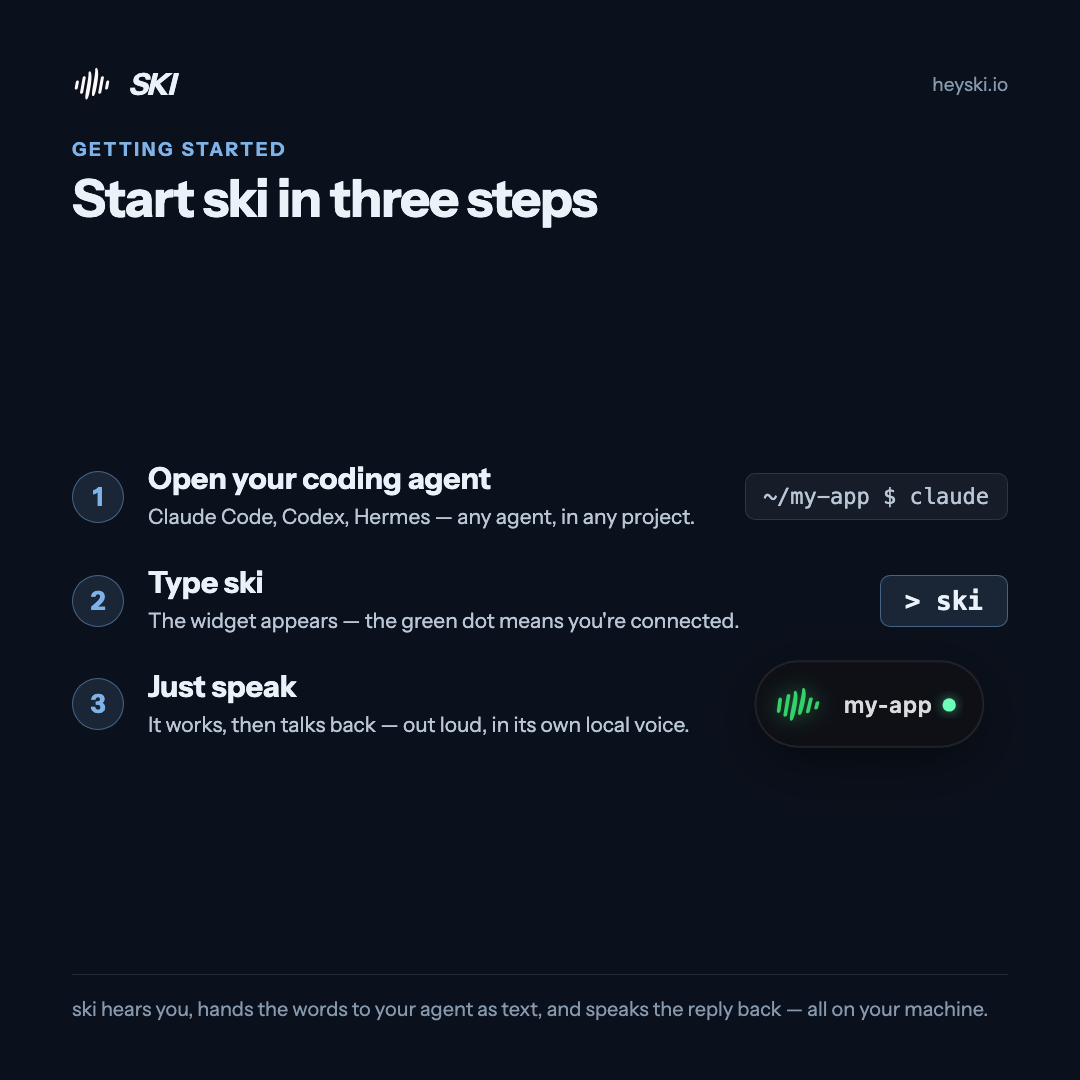
In your coding agent — Claude Code, Codex, any of them — type ski. That connects the session to the widget. When the dot turns green, you're connected: your agent can now hear you and speak back.
It's not just one project. Connect several at once — even from different agents — and jump between them. Click the project name on the widget to switch; each project answers in its own voice, so you always know who's talking.
Say what you need out loud. Your words land in the agent as text and it gets to work — reading files, writing code, running tests. And when it's done, it talks back, out loud, in a natural voice generated on your machine. You talk. It works. It answers.
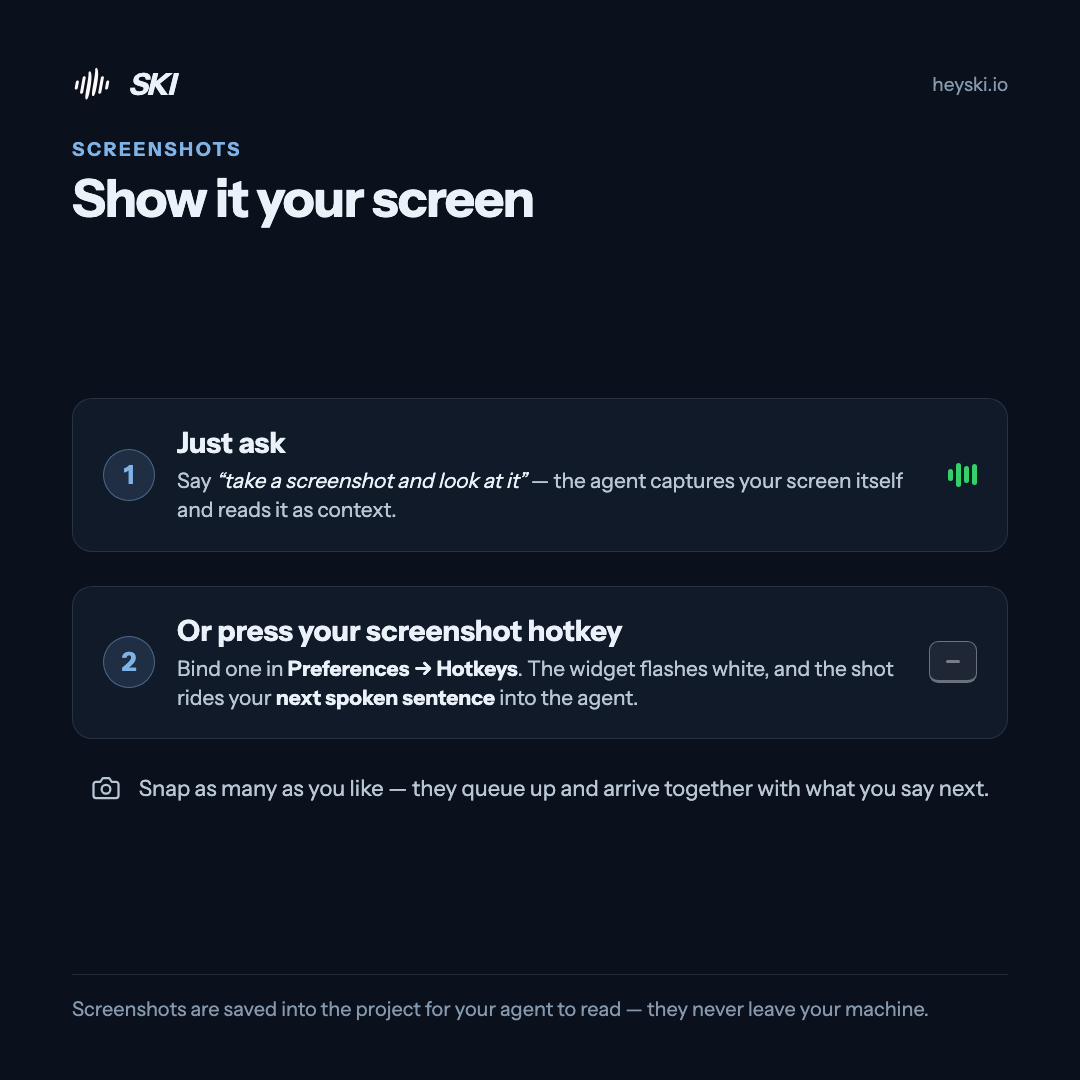
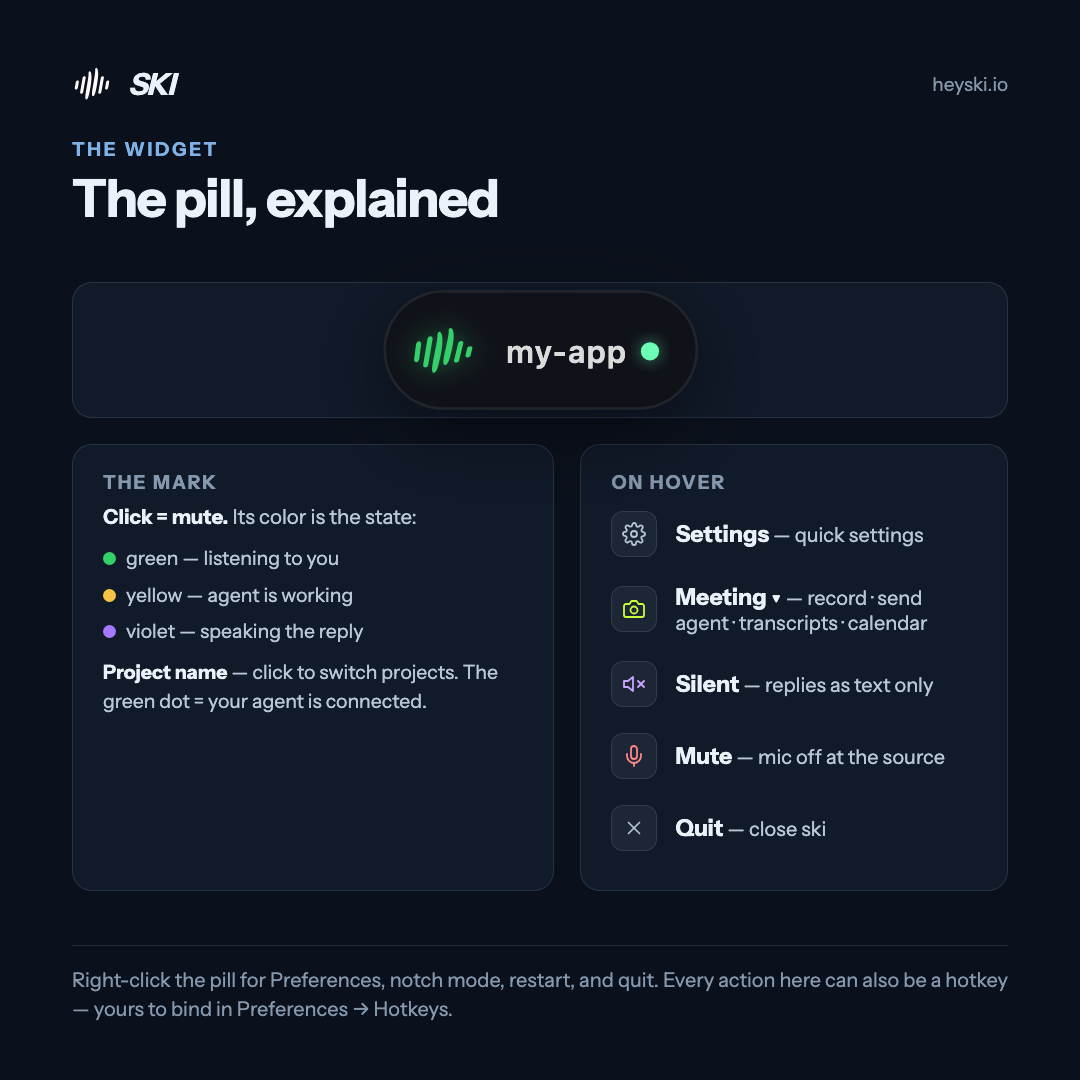
Hover the widget for the controls that matter mid-flow: mute (mic off at the source), silent mode (replies as text only), and screenshots that ride along with your next spoken sentence. Every one of them can be a hotkey — yours to choose, in Preferences → Hotkeys.
Talk to Claude Code out loud — in the terminal or your IDE — and hear it answer.
Read the guide →Speak to Cursor's agent while you stay in the editor — it works, then talks back.
Read the guide →Give OpenAI's Codex a voice — spoken requests in, spoken answers out.
Read the guide →Voice coding is writing software by speaking instead of typing. Historically it meant dictating code word by word with grammar-based tools; with AI coding agents it means describing what you want out loud while the agent writes, runs, and tests the code. SKI is built for the second kind — you talk to your coding agent and hear it answer.
Dictating code symbol by symbol usually isn't. Directing an agent by voice is — you speak at around 150 words a minute, several times faster than most people type prompts, and the agent does the actual typing. The speed comes from delegation, not transcription.
No. There is no command language to memorize — you speak normally, and your agent interprets it exactly as it would a typed message. Saying what you want is the whole interface.
Claude Code, Codex, Cursor, Gemini CLI, Windsurf, and OpenClaw — SKI installs a small skill for each with one click, and you can connect several projects from different agents at the same time.
No. SKI talks to your agent through a skill and plain files inside your own project — nothing is injected into windows or keystrokes. Your agent reads what you said and replies through the same files, which is why it works with any terminal, editor, or IDE.
Yes — turn on approve-before-send and every transcript lands in an editable bubble first. Nothing reaches the agent until you confirm it.
On Mac, yes — opt in to the globe/fn key: tap it to mute or unmute, or hold it to talk. You can also bind your own hotkeys for mute, silent mode, and screenshots in Preferences → Hotkeys.
No. Speech recognition and the voice that answers both run on your own machine — the whole loop works offline, and nothing you say is uploaded.
No bot joins, nothing uploads, no time limits. Live transcript, then your agent writes the notes.
Watch & read →Paste a link and your agent joins the call — speaking live, or silently taking notes.
Watch & read →Free for life. Register once — no card — and the whole voice loop is yours, on-device, forever.