heyski.io / voice coding / claude code
Voice coding · Claude Code

Voice coding with Claude Code.

Talk to Claude Code out loud and hear it answer — in the terminal or your IDE. SKI gives Anthropic's coding agent ears and a natural voice, free and fully on-device.

Why voice, why Claude Code

An agent that works in long stretches deserves a voice.

Claude Code is built for delegation: it reads your files, plans, edits, runs tests — often for minutes at a time while you do something else. That's exactly where typing prompts feels slowest, and where voice coding fits best: you say the next thought the moment you have it, and the answer finds you out loud, so you never sit watching a terminal scroll.

SKI closes the loop on your own machine. Your speech becomes text locally and lands in Claude Code exactly like a typed message; when Claude Code replies, SKI speaks it in a natural on-device voice — and shows it in the pill or notch. No cloud, no audio uploads, no new account for Claude: it's your existing Claude Code, with ears and a voice.

The written version

Five steps to a talking Claude Code.

STEP 01

Install SKI

One installer — DMG on Mac, EXE on Windows. A small widget appears on your desktop: on Mac it can dock into the notch, on Windows it floats as a pill. That's the whole interface.

STEP 02

Connect Claude Code — one click

SKI installs a small skill Claude Code already understands, at the user and project level — one click, once. No config files to write, nothing to paste.

STEP 03

Type ski in Claude Code

In any Claude Code session — the terminal, or the IDE extension — type ski. When the widget's dot turns green, you're connected: this project can now hear you and speak back.
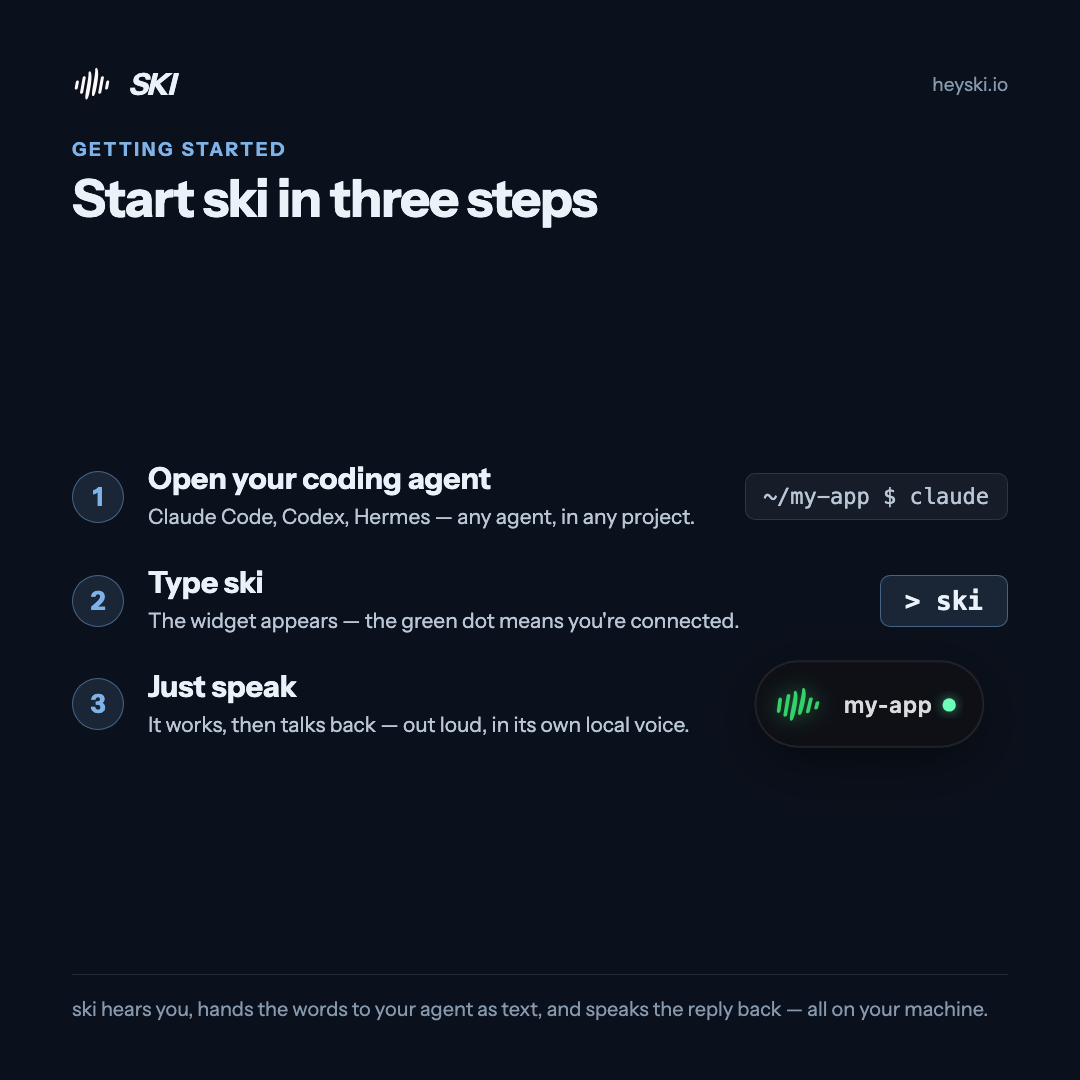
Infographic: start SKI in three steps — open your coding agent, type ski, then just speak
The whole flow on one card
STEP 04

Just speak

Say what you need out loud — "run the tests and tell me what broke," "refactor the login handler," "why is the build slow?" Claude Code gets your words as text, does the work, and answers out loud when it has something to say. Talk over it any time — full-duplex echo cancellation means you're still heard.

STEP 05

Scale it up

Connect several projects at once — more Claude Code, or a mix with other agents — and each answers in its own voice. Add screenshots that ride your next sentence, silent mode for calls, mute and hotkeys for everything in Preferences → Hotkeys.

Claude Code · FAQ

Good questions.

Does it work with Claude Code in the terminal and in my IDE?

Yes — anywhere Claude Code runs. SKI connects through a skill and plain files in your project, not a specific window, so the terminal, the VS Code extension, and any other Claude Code surface behave the same.

Do I need a Claude subscription?

SKI is free for life. Claude Code itself is Anthropic's tool with its own plans — SKI adds the ears and the voice to whatever Claude Code access you already have.

Can I keep talking while Claude Code works?

Yes. The mic stays live (mute any time), and when Claude Code has something to say — results, questions, progress — it answers out loud. You can interrupt it mid-sentence and still be heard.

Does SKI type into the Claude Code window?

No. Nothing is injected into windows or keystrokes — SKI and Claude Code exchange messages through plain files inside your own project, which is why it works with any terminal or IDE.

Is my voice sent to Anthropic or anyone else?

No. Speech recognition and the voice that answers both run on your machine. Claude Code receives your words as text, exactly as if you had typed them — SKI uploads nothing.

Keep going

More voice coding.

Give Claude Code a voice.

Free for life. Register once — no card — and the whole spoken loop with Claude Code is yours, on-device, forever.

macOS 14.4+ · Apple Silicon  ·  Windows 11 & 10 · x64